· 2 min read
How to Track Your Training Progress with Video
Film your sessions with heart rate and pace on screen, then compare them weeks apart. A simple way to see your progress, not just read it.
Your watch already logs every session as numbers. What it can't show you is how the effort looked. Film one session you repeat often, with your heart rate and pace on the video, and film it again every few weeks. Play the clips next to each other and your progress is plain to see. It is the same method sports scientists use to study effort: video synced with heart rate.
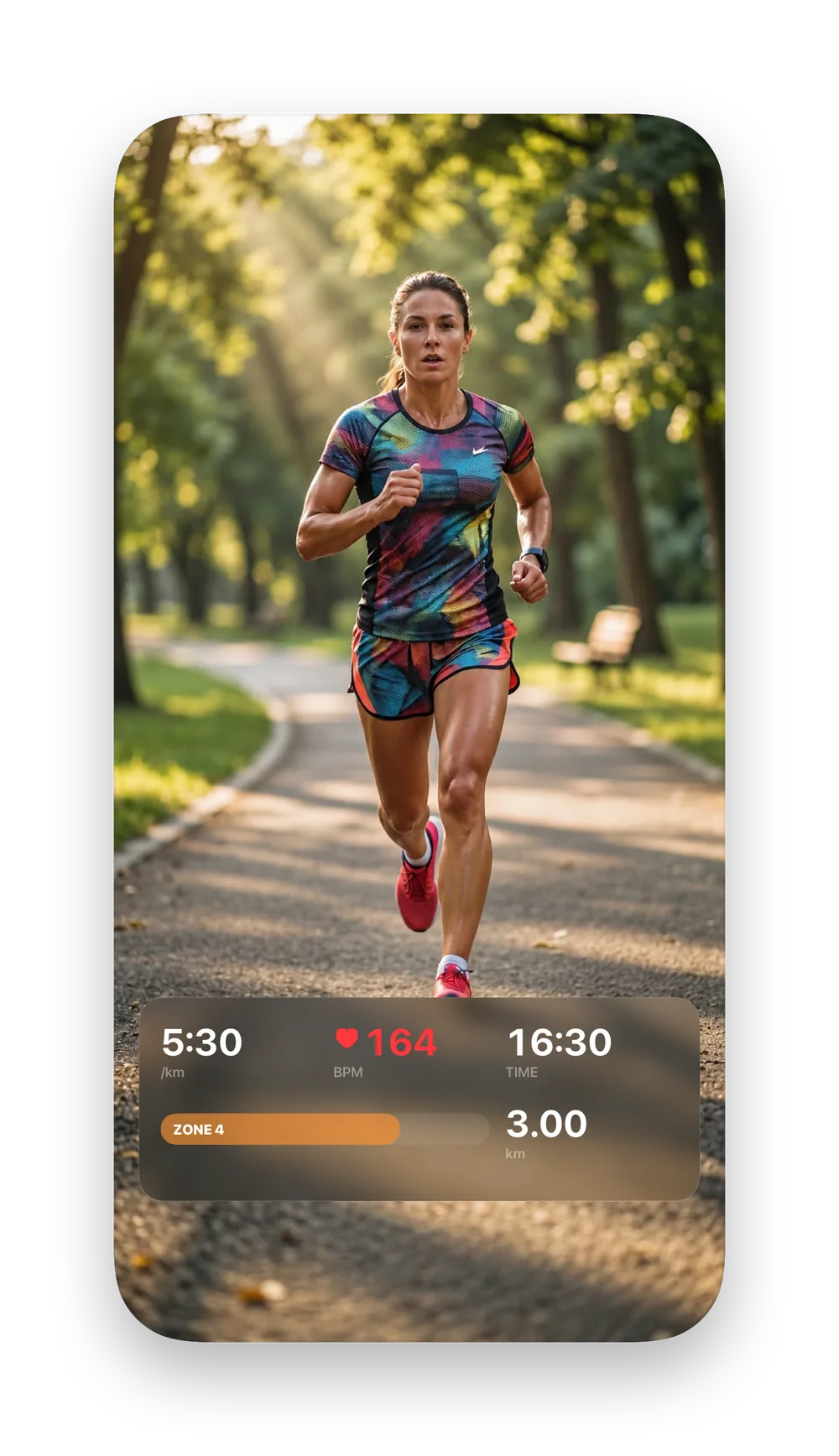
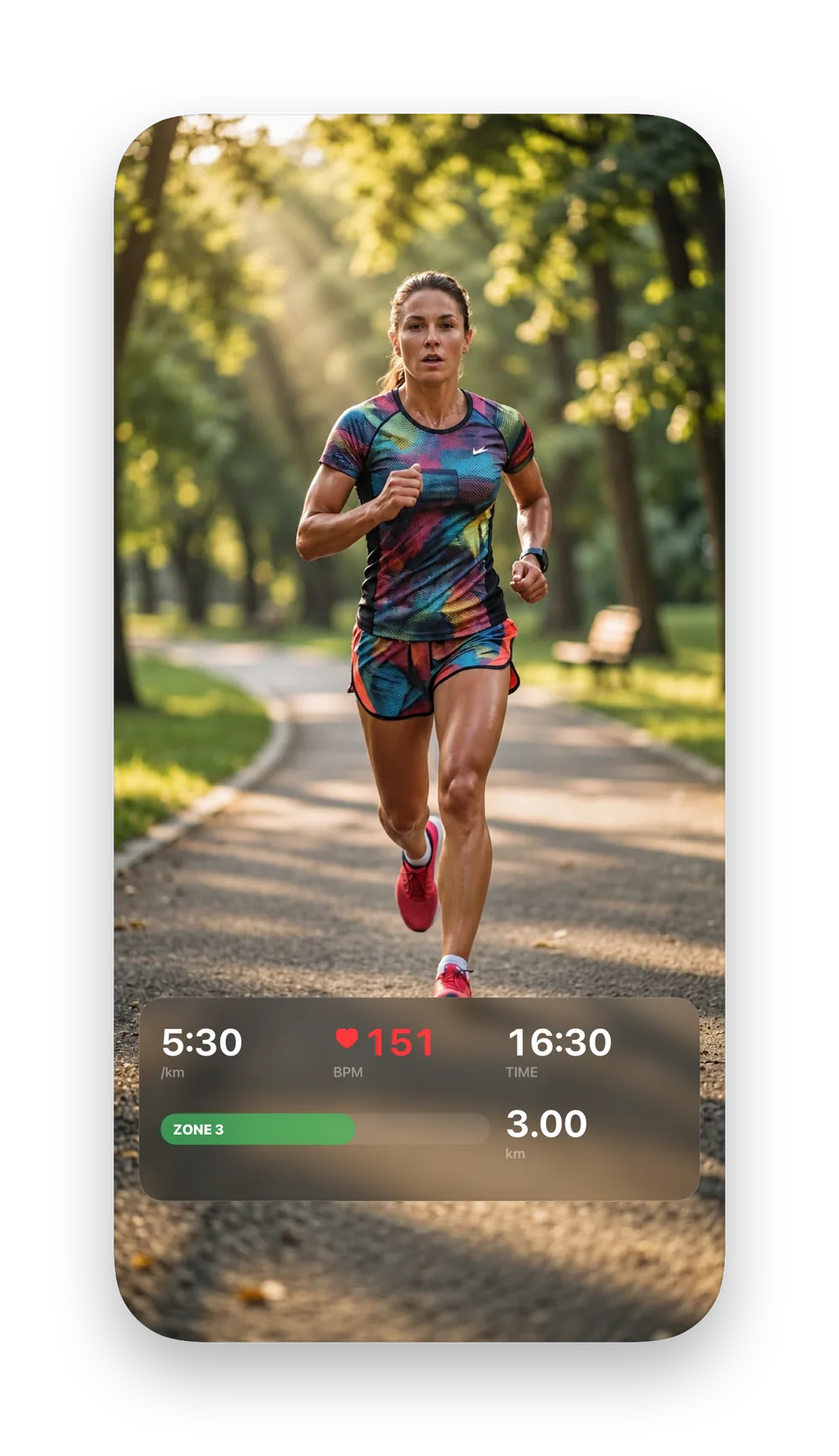
What that looks like
Take the two clips above. Both are the same 3 km loop at 5:30 per km. In week 1 the heart rate reads 164 BPM, in Zone 4, and that pace is hard work. In week 6 the pace is identical but the heart rate reads 151 BPM, in Zone 3. Same run, 13 beats easier.
In a training app that is two rows in a list. On video you see the rest as well: steadier breathing, a relaxed face, and form that still holds in the last kilometre.
How to do it
- Pick a benchmark, a session you can repeat exactly: an easy 3 to 5 km at a fixed pace, your top set of one lift at the same weight, the same climb on the bike, or the same interval workout.
- Film it with your stats on screen. Start the workout on your Apple Watch and record in FitCam, so heart rate, zone, pace and time are on the video.
- Keep everything else the same: the route or spot, the camera angle, the time of day and the overlay.
- Repeat every three to four weeks. Weekly is too soon to see a change.
- Watch the new clip next to the old one, and write down one thing to work on.
What to look for when you compare
- The same pace at a lower heart rate. This is the clearest sign your fitness is improving.
- Faster recovery. Watch how quickly your heart rate falls in the rest between intervals or sets.
- Form late in the session. Compare the last reps or the last kilometre, when tiredness shows up first.
- How the effort looks. Your face, breathing and posture at the same heart rate show how hard it really felt.
Why it works
Sports scientists study effort the same way. In a 2012 study of elite synchronized swimmers, researchers synced competition footage with beat-by-beat heart rate. They saw it peak near 192 BPM, then fall to about 89 BPM during breath-holds underwater, something neither the video nor the numbers showed alone. A review of 16 studies on video feedback in sport also found that athletes who reviewed footage in their own time, choosing what to watch, were more motivated and remembered more. That research is still young, but the habit costs nothing to try.
Keep the log on your phone
Every video you edit in FitCam is saved as a project with its workout data and overlay, so your sessions stay in one place and you can reopen any of them.
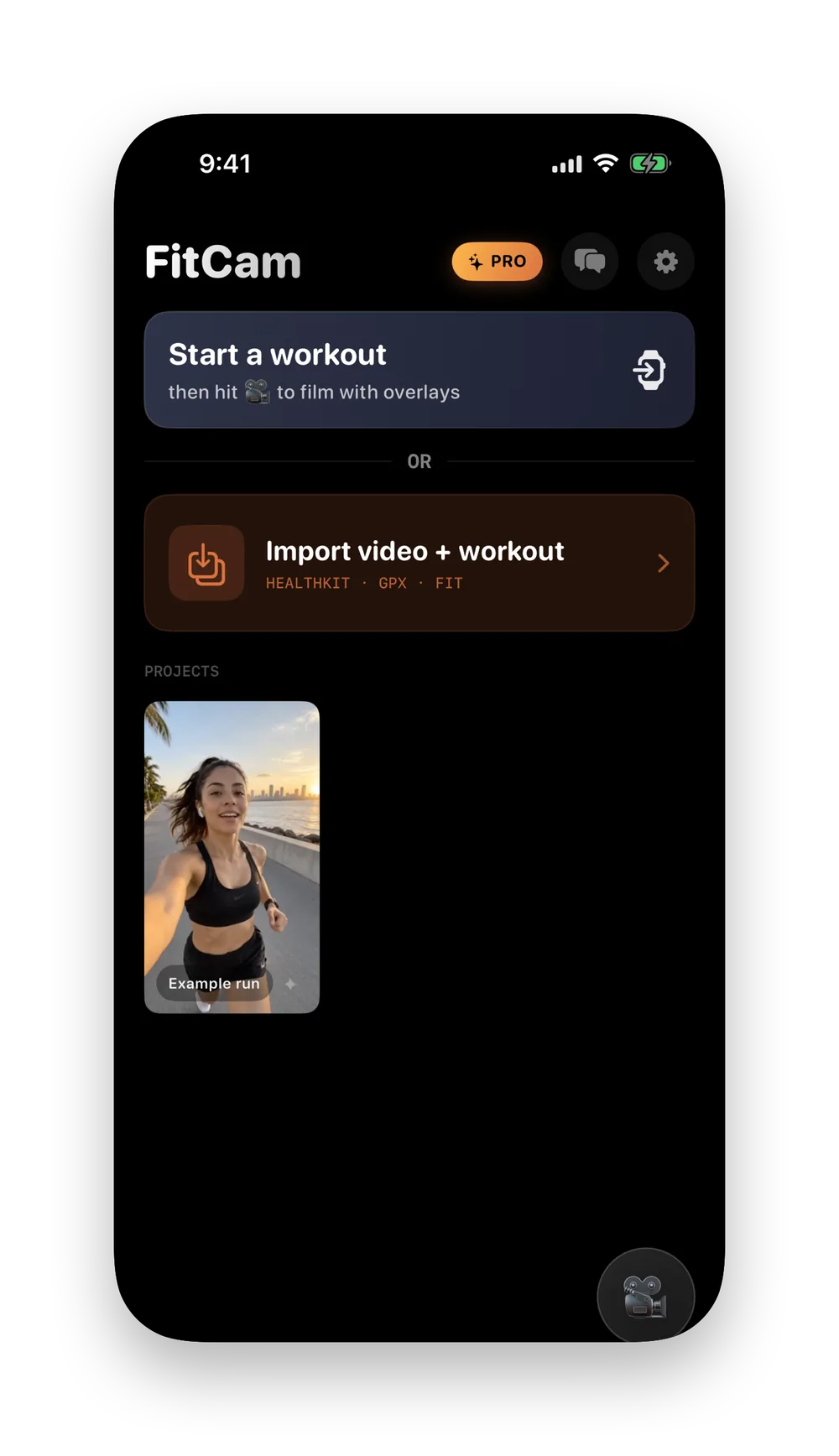
In the editor you can scrub to any moment and read the exact numbers at that point, which makes it easy to line up the same kilometre or the same rep in two sessions. The Workout Summary overlay shows the totals for a whole session. You can also add numbers to footage you have already filmed: import the clip, and FitCam finds the Apple Watch workout recorded at the same time in Apple Health.
Start your video training log with your next session.
Download FitCam